
Managing calls, messages, and customer data across multiple platforms consumes valuable time and increases the risk of errors. When your business operates with disconnected systems, critical information falls through the cracks, response times suffer, and opportunities are lost.
You need seamless integration between your call answering service and the CRMs, scheduling tools, and business applications that power your operations. Zapier is a digital bridge between applications, enabling them to share data automatically. It operates through automated workflows called “Zaps,” consisting of triggers and actions. When a trigger event occurs in one application, like receiving a new call through AnswerHero™, it automatically initiates an action in another application, such as creating a contact in your customer relationship management (CRM) system.
The AnswerHero™ Zapier integration automates workflows and connects your call answering service with tools you already use. And it doesn’t require any technical expertise.
With access to 8,000+ integrations, Zapier eliminates manual data entry and creates seamless connections between AnswerHero™ and your entire tech stack. Our answering service automation requires no coding knowledge, making it accessible to businesses of all sizes. You can easily integrate AnswerHero™ with Zapier by following these simple steps.
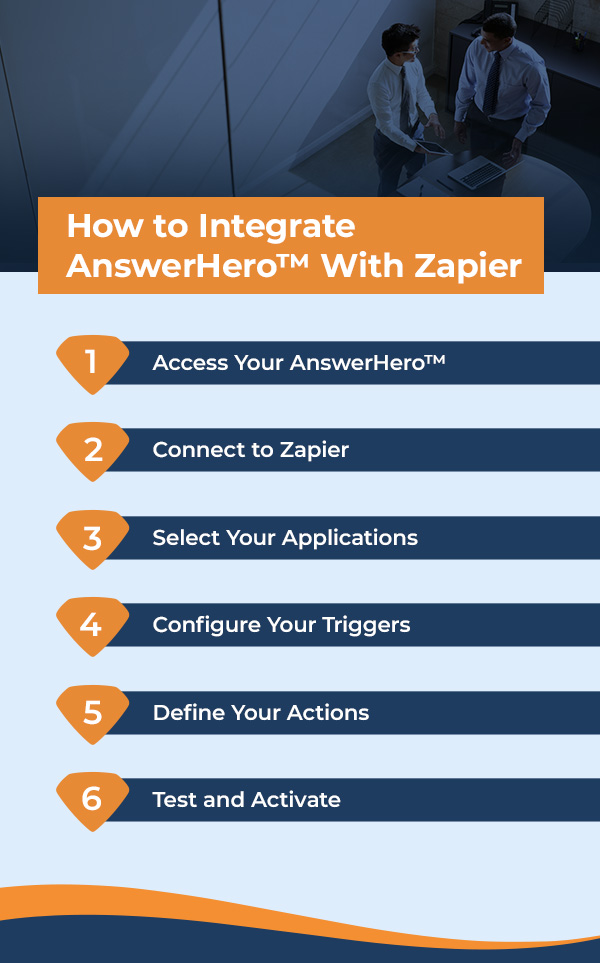
Log in to your AnswerHero™ dashboard and navigate to the “Integrations” section.
Link your existing Zapier account to create a free account directly from the integration page.
Choose from thousands of compatible apps, including Salesforce, Hubspot, Google Sheets, Slack and more.
Set up triggers based on AnswerHero™ events, such as:
Specify what happens in your connected apps when triggers activate. For example:
Run test workflows to ensure data flows correctly. Then, activate your Zaps to begin automation.
Every minute your team spends on manual data entry is time spent not growing your business. The AnswerHero™ Zapier integration transforms time-consuming tasks into automated workflows that run seamlessly in the background. Here’s what you can enjoy:
Managing calls, messages, and customer data shouldn’t overwhelm your business or put relationships at risk. AnswerHero™ addresses these challenges with comprehensive solutions designed for growing companies.
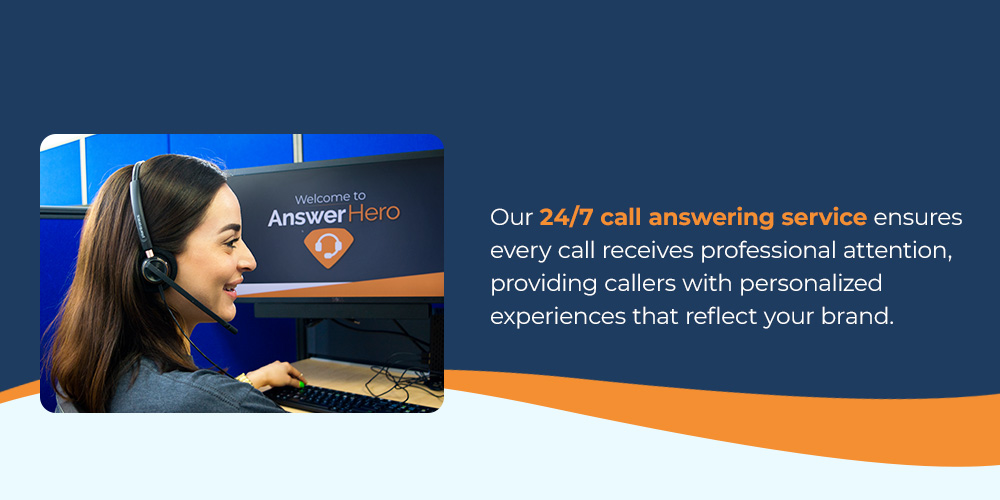
Our 24/7/365 call answering service ensures every call receives professional attention, providing callers with personalized experiences that reflect your brand. Combined with seamless Zapier integration, our live call answering service is a powerful system for capturing and leveraging every customer interaction.
Here’s what makes AnswerHero™ stand out:
Taking the first step toward automated workflows doesn’t require a complex implementation process or extensive training. AnswerHero™ provides two easy paths to integration success, ensuring every business finds its perfect approach.
DIY Zapier integration is perfect for hands-on users ready to take control:
If you want to enjoy white-glove service, this is the ideal option for you:
Our support team happily configures your key workflows, ensuring you maximize the value of your integration from day one.
Save time, end the frustration of disconnected systems, and eliminate the risk of missed opportunities with the AnswerHero™ Zapier integration. With flexible plans, transparent pricing, and dedicated support, you’ll transform how your business handles every call.
Ready to automate your call workflows? Contact our support team for a free integration consultation or get started with AnswerHero™ and Zapier today!

Never miss an important call again with AnswerHero. Our team of professionals will answer calls 24/7/365 based on the information you provide about your business. We handle basic processes like taking messages and routing calls, but we can also make appointments and provide translation services. See the difference AnswerHero makes — choose your plan or contact us today.


Contracts or
Hidden Fees
We Answer Your Calls All Year Round
Bilingual Agents